
A little help from captain Skully
Your artwork. Ready for merch.
Choose the template for your product and print area. Flags use full-size JPG canvases; shirt printing and hat embroidery use transparent PNG canvases. No special filename is required—use a name you recognize.
Questions? Visit Captain Skully’s Help





Standard shirt front / back
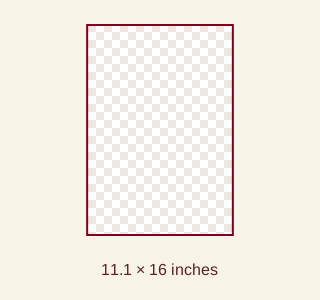
11.1 × 16 inches · Maximum artwork area
3330 × 4800 pixels · 300 DPI · PNG + SVG + instructions (ZIP)
DTF shirt printing, not embroidery. Prepare at 300 DPI at final size. Choose a placement offered for your garment. Export transparent PNG; remove guides.
Download template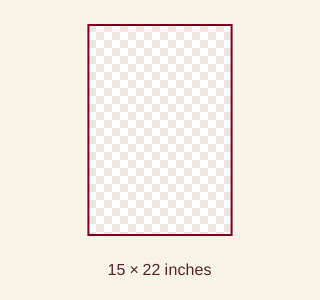
Jumbo shirt front / back
15 × 22 inches · Maximum artwork area
4500 × 6600 pixels · 300 DPI · PNG + SVG + instructions (ZIP)
DTF shirt printing, not embroidery. Prepare at 300 DPI at final size. Choose a placement offered for your garment. Export transparent PNG; remove guides.
Download template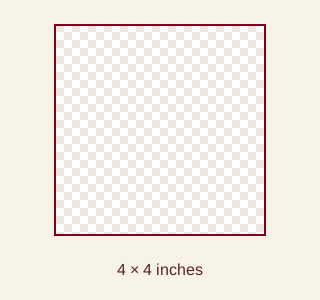
Short sleeve
4 × 4 inches · Maximum artwork area
1200 × 1200 pixels · 300 DPI · PNG + SVG + instructions (ZIP)
DTF shirt printing, not embroidery. Prepare at 300 DPI at final size. Choose a placement offered for your garment. Export transparent PNG; remove guides.
Download template
Long sleeve
4 × 16 inches · Maximum artwork area
1200 × 4800 pixels · 300 DPI · PNG + SVG + instructions (ZIP)
DTF shirt printing, not embroidery. Prepare at 300 DPI at final size. Choose a placement offered for your garment. Export transparent PNG; remove guides.
Download template
Hat front embroidery
6 × 2.8 inches · Maximum artwork area
1800 × 840 pixels · 300 DPI · PNG + SVG + instructions (ZIP)
Front flat embroidery. At least 150 DPI at the selected size (900 × 420 pixels at full size). Supplied at 300 DPI. Digitizing included; proof confirms placement, size and colors.
Download templateFrom template to finished artwork
Flag, curtain and back-patch downloads are full-size white JPG canvases. Shirt and hat ZIPs contain a transparent PNG canvas, editable SVG guides and instructions. The PNG canvases have no baked-in marks. Use an image editor that supports full canvas sizes and layers, such as Photoshop or GIMP.
Choose your canvas
Download the template for your product and placement. Unzip shirt and hat downloads, then open the PNG canvas or SVG guide in your editor—not the small preview on this page.
Paste your artwork
Place your image on a new layer. Resize proportionally and position it on the canvas; stretching changes the shape of your design.
Check the edges
For flags, keep the full canvas size. For shirts and hats, the canvas shows the maximum area; smaller designs are welcome and need no bleed. Keep proportions and check sharpness. Enlarging a blurry source cannot create missing detail.
Save a clean print file
Keep an editable working copy and hide or delete guide layers. Export flags, curtains and back patches as high-quality JPGs at the original pixel dimensions. Export shirts and hats as transparent PNGs, cropping empty padding to the artwork. Reopen the file to confirm no guides or unintended background remain.
Upload and review
For flags, upload the finished file from your order after checkout. For shirts and hats, use the product calculator’s artwork controls and confirm placements, dimensions and quantities. For hats, check background removal and thread colors; the embroidery proof confirms the final result. Complete the required artwork approval in your order.